Guide
Graphics Settings in Drak Bike 201m: SD, HD and FHD
SD, HD or FHD? Which graphics tier to pick in Drak Bike 201m for your phone, and when to switch.

On this page
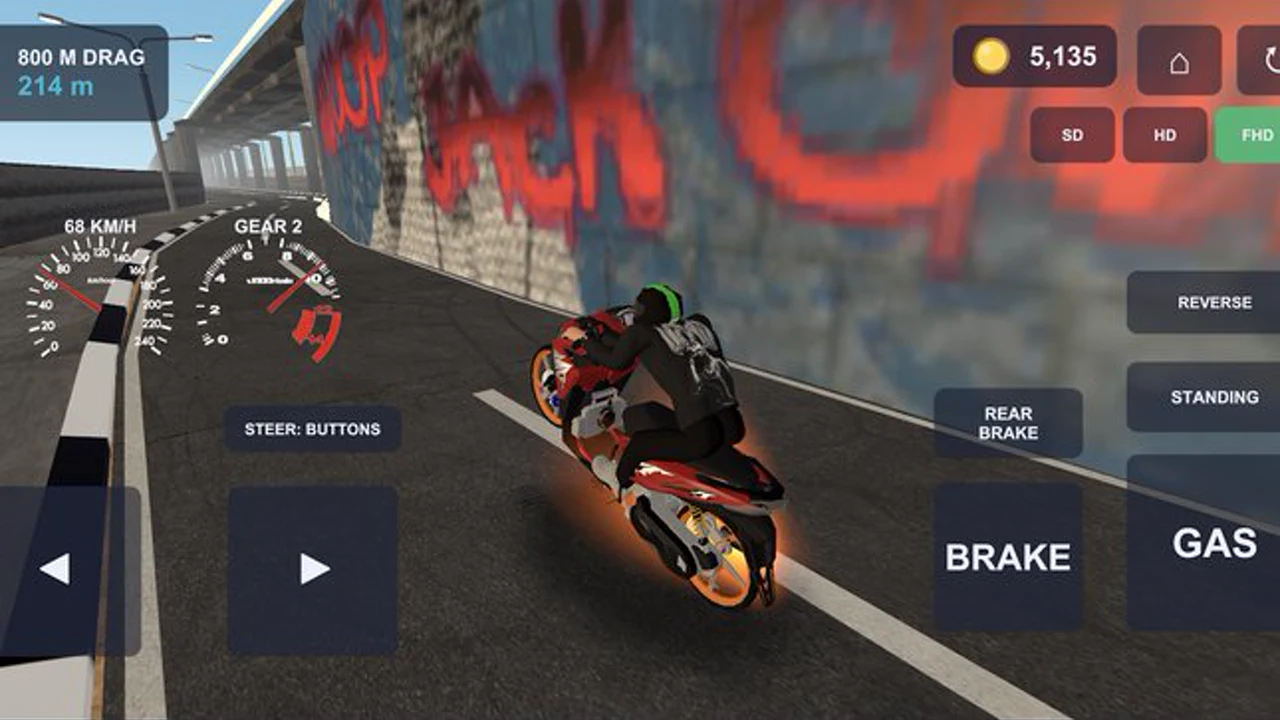
Graphics settings in Drak Bike 201m APK come in three tiers: SD, HD and FHD. The tier changes how sharp the game looks and how hard your phone works to draw it, and the right choice depends on your phone, not on the game. Pick wrong and the game stutters; pick right and it feels smooth on any phone.
What the tiers mean
SD is the lightest tier: lower detail, lower resolution, and the smoothest frame rate on old or low-end phones. HD is the middle tier and suits most phones, with good detail and a steady frame rate. FHD is the sharpest tier, with the most detail, and it belongs on flagships and newer mid-range phones with the power to spare.
Pick by your phone, not your pride
The temptation is to pick FHD because it sounds best. Resist it. If the game stutters on FHD, the racing feels worse, not better: the launch timing goes off, the shifts feel late, and the bike handles like it is underwater. Start on HD, run three races, and watch the frame rate. Smooth means the tier fits; stutter means drop to SD. The lag fix guide for Drak Bike 201m covers the rest of the performance fixes, from background apps to storage.
When to switch tiers
Switch tiers when the phone changes, not when the mood changes. A phone that runs HD smoothly today will run it smoothly next month too. The time to switch is after an update, after a new phone, or when the weather turns hot and the phone throttles: heat makes phones slower, and dropping a tier on a hot day is smart, not a defeat. The old phones guide explains the SD tier in detail for Android 7 phones and low RAM models.
What each graphics tier really changes
SD, HD and FHD do not change how the bike handles, and that surprises people. The tiers change texture sharpness, shadows, and how far ahead the world draws clearly, but the launch timing, the shift points and the race physics stay exactly the same. That means you should pick your tier by comfort, not by pride: if HD stutters on your phone, SD gives you the same race with a smoother frame rate, and a smooth frame rate is worth more than sharp shadows when you are shifting by feel. FHD is for phones that run it without breaking a sweat. The right tier is the highest one that never drops a frame mid-race, and you find it by testing, not by guessing.
The racing feels the same
Here is the honest truth: the racing feels the same on every tier. The launch, the gears, the physics and the duels do not change with the graphics. SD on a smooth phone beats FHD on a stuttering one every single time, because timing is everything in this game and stutter steals timing.
Quick Answers
Which graphics tier should I use in Drak Bike 201m?
Start on HD. If the game stutters, drop to SD. If it runs perfectly smooth, try FHD. Pick by your phone, not by pride.
Does FHD make Drak Bike 201m faster?
No. FHD only changes how sharp the game looks. The racing, physics and timing feel the same on every tier, and a smooth SD run beats a stuttering FHD run.
Why does Drak Bike 201m lag on hot days?
Heat makes phones throttle and run slower. Drop a graphics tier on hot days, close background apps, and the frame rate comes back.